Nudge icon

Nudge

Mission control for your Claude Code sessions.

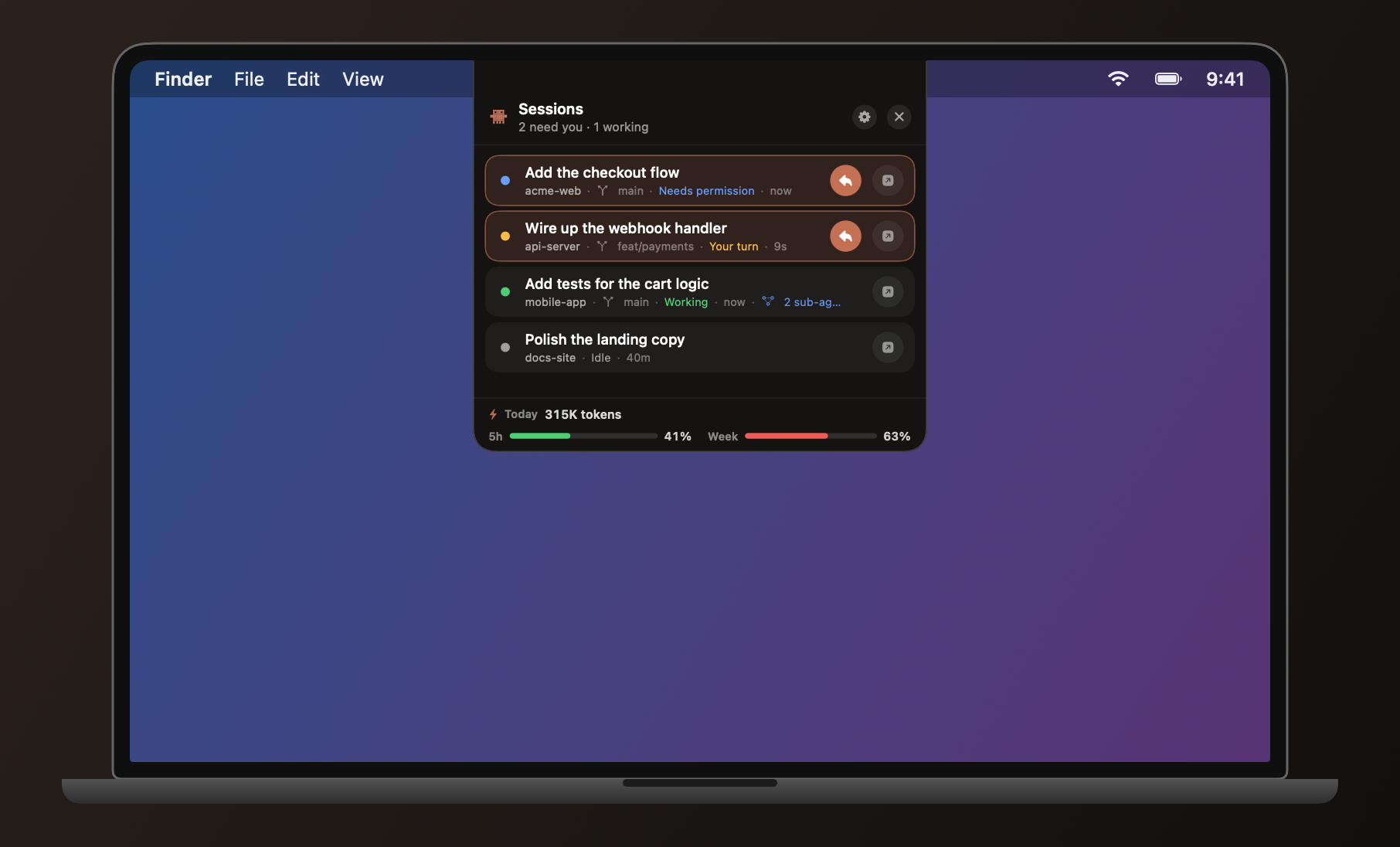
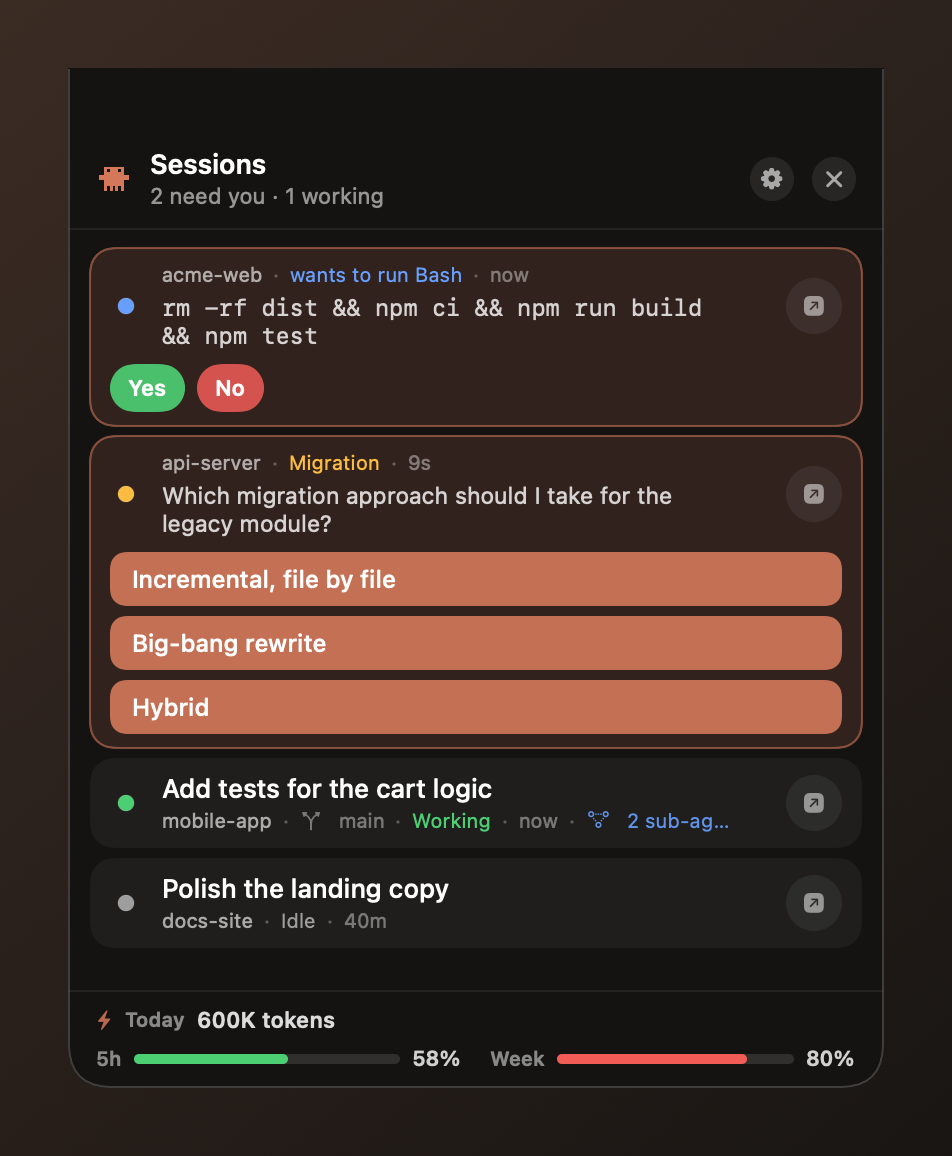
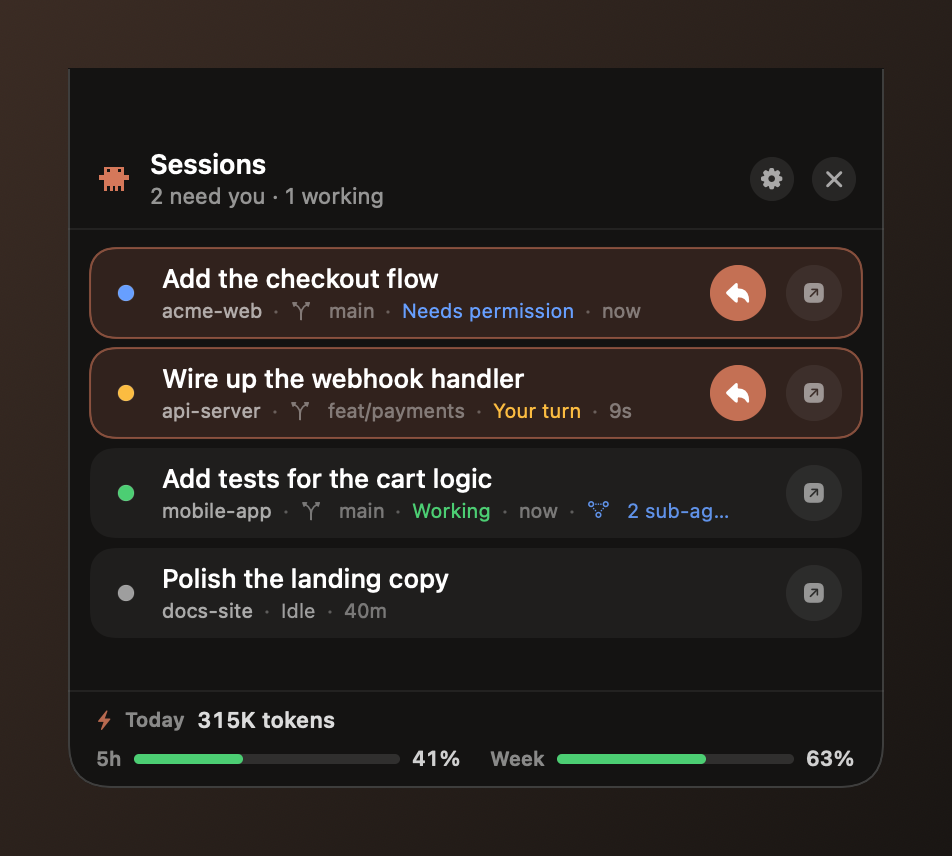
A menu-bar & notch companion that shows every session at a glance — what's working, what's waiting, and what needs you — so you can answer a permission, pick an option, or jump in without hunting for the right window.

macOS 14+ · Apple Silicon & Intel · free to try · one quick step on first launch ↓
Nudge hanging from the notch on a MacBook, showing sessions at a glance
Nudge showing a session waiting on a permission and another on a question Nudge showing several sessions at a glance with live status

It waves when you're needed

When a session finishes or asks for permission, the little nudge starts rocking beside your notch — so you catch it from across the room, not three windows deep.

The Nudge mascot rocking beside the notch when a session needs attention

Free to watch. $9 to act.

Download Nudge and see all your sessions for free. A one-time $9 license unlocks the one-click actions — no subscription, pay once, keep it.

Free

See everything

  • Every Claude Code session in your menu bar & notch
  • Live status — working, your turn, needs permission
  • See the exact prompt or question a session is blocked on
  • Today's token usage & your 5-hour / weekly limits

Installing Nudge

Nudge is signed but not notarized by Apple, so macOS quarantines the download and shows a "couldn't verify it's free of malware" warning. One command clears it — you live in the terminal, you've got this.

Download Nudge-1.0.dmg (button above).
Clear the quarantine flag and open it: xattr -dr com.apple.quarantine ~/Downloads/Nudge-1.0.dmg && open ~/Downloads/Nudge-1.0.dmg
Drag Nudge to Applications and launch it.
Got a license? In Nudge, open the footer → Enter key, paste it, and Activate.
Not a terminal person? Open the DMG, click Done on the warning, then go to System Settings → Privacy & Security, scroll down, and click Open Anyway.
Why the warning? macOS only suppresses it for apps notarized through Apple's paid Developer Program. Nudge is a one-person indie app that skips that toll, so the download gets flagged. The xattr command just removes the "downloaded from the internet" quarantine tag — the app is identical either way, and exactly what it does is spelled out in the privacy policy.